
This page is about your requested messages.
You can see all your message status and history here.
Read more about message status.
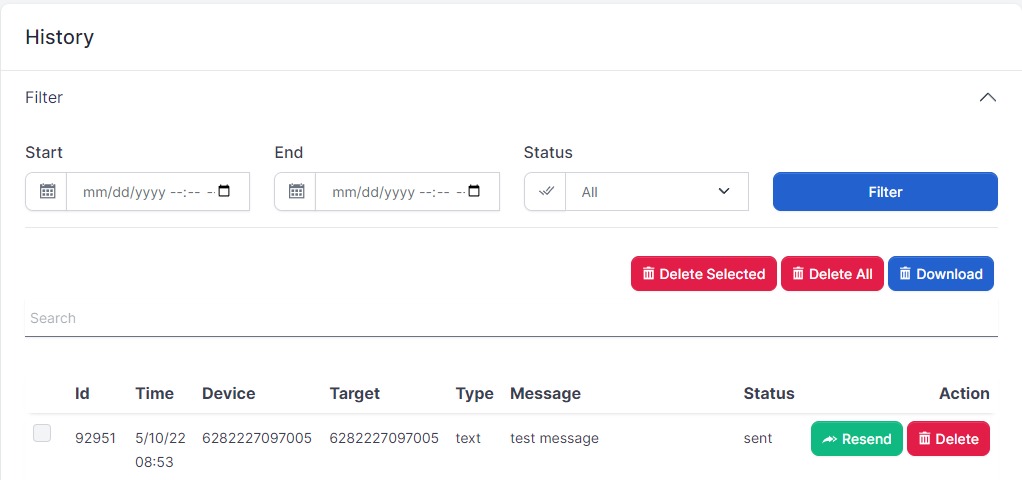
The list will show 100 messages.
You can filter your message history by time and status.
The download button will download your last month messages.
if for any reason you want to resend the message, there is a button to resend the message.
This menu is used to add contact and group them.
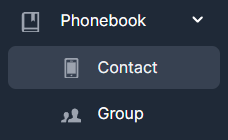
You can add contact to be used later or group them in a group
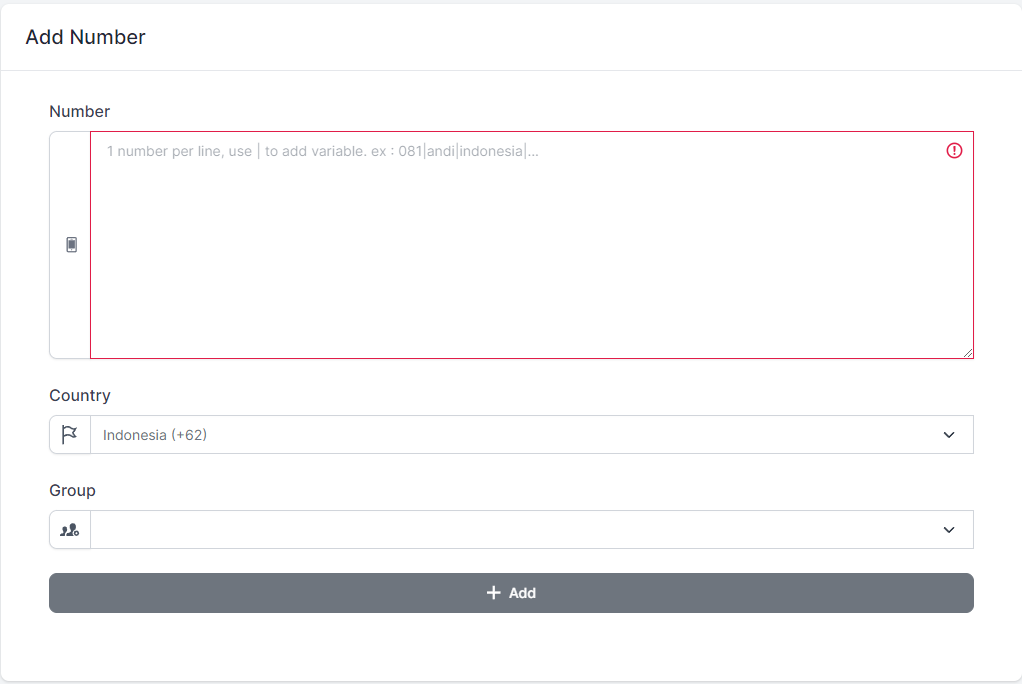
You can add your contacts, separate by a new line.
Example :
0822xxxxxx
0895xxxxxx
This input will save 2 contacts
You can also add variable(s) to each contact.
Currently, fonnte supports unlimited variable.
First variable will be the name of the contact.
Example :
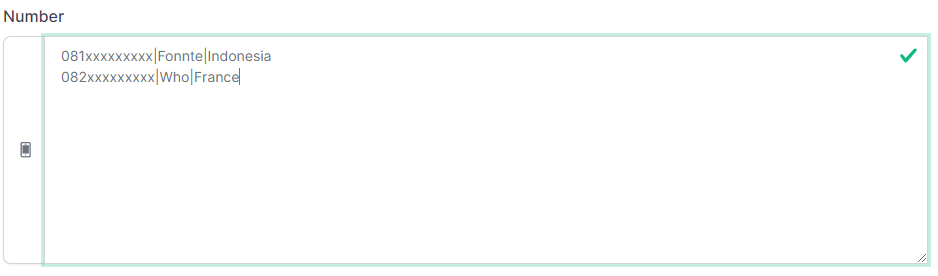
This will be saved as :
081xxxxxxx
name : Fonnte
var1 : Indonesia
082xxxxxxx
name : Fonnte
var1 : Indonesia
These variables can be used for sending messages using {name},{var1},{var2} and so on
if you have created at least one group, you can put uploaded contact(s) to the group.
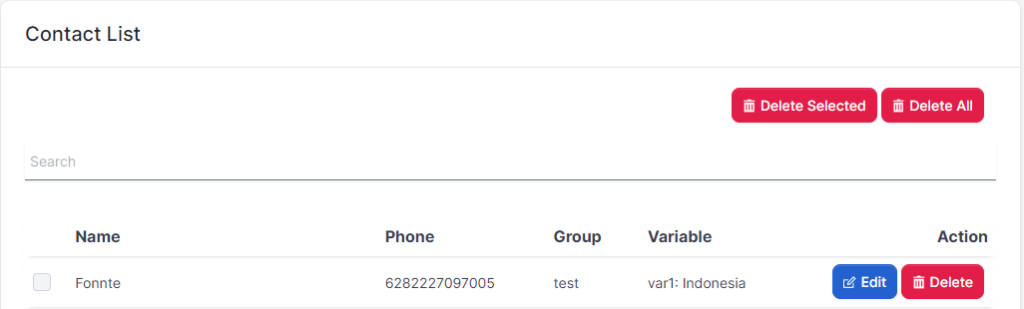
Once you save the contact, it will show on contact list.
You can edit or delete it.
A popup will show up when you click edit.
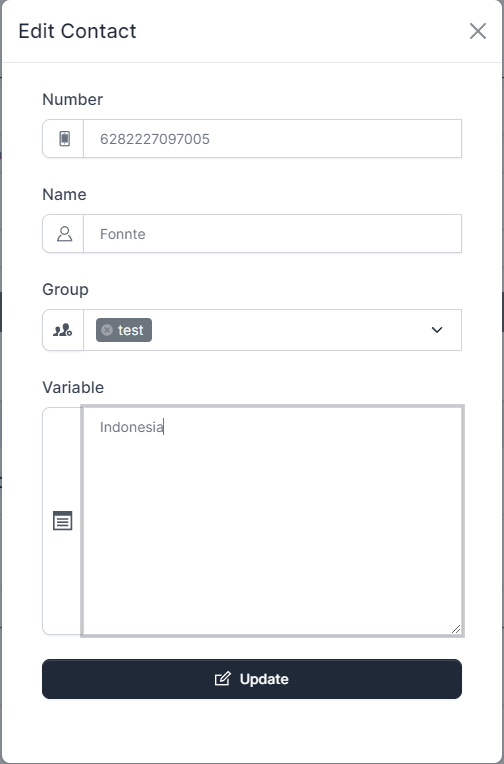
You can edit number, name, add or remove from group and set variable.
Variables should separate with a new line/enter.
You can create a group to group your contacts for send message to these contacts later.
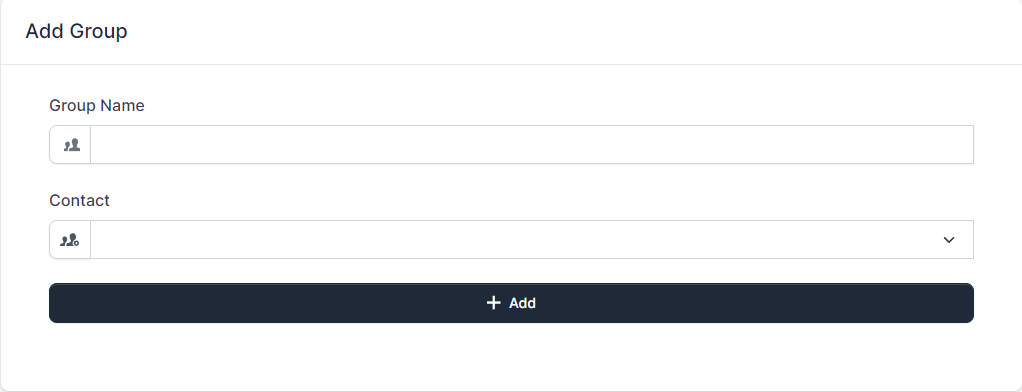
After successfull creating a group, the group will we added to group list.
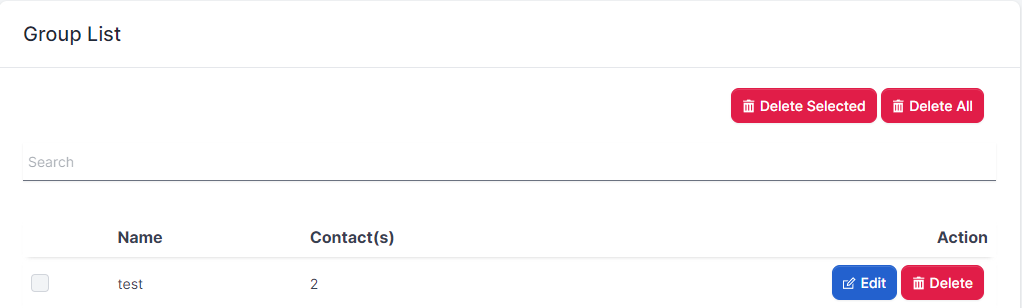
To add contact(s) to an existing group, you can click edit on a group and add the contact.
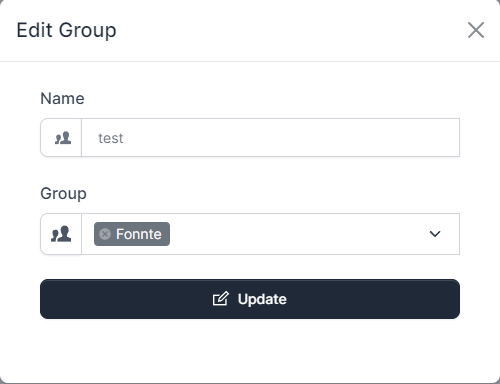
This may be a convenient way for sending messages in the future.
This menu provides information about your device.

Device highlight section provide quick information about your device
Then on device menu, you can see all of your devices
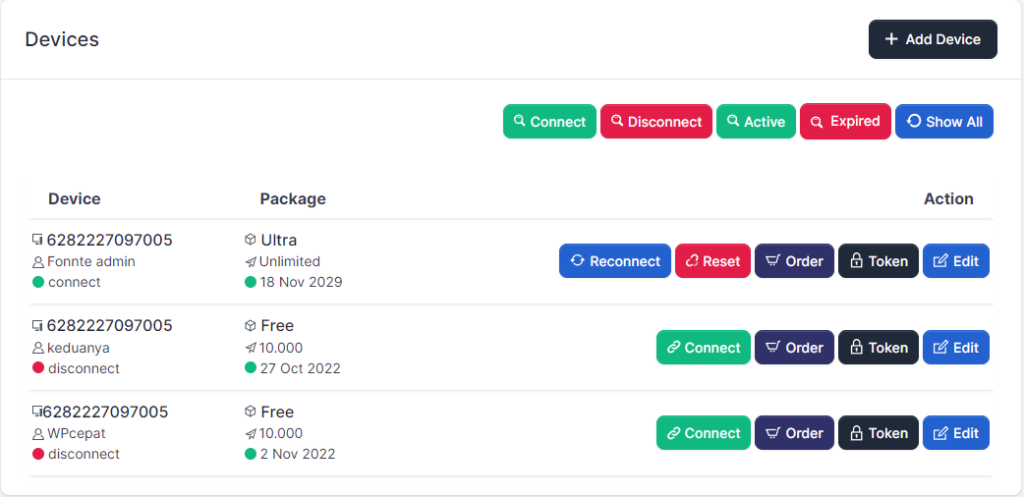
As you can see on the image above, there are 3 parts you can use
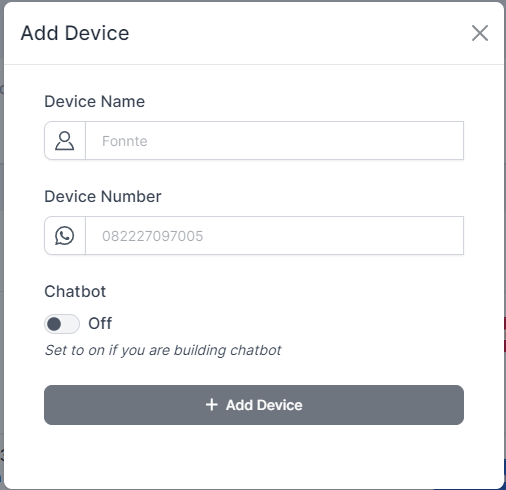
On the top right of the image, There is a button to add device.
Click this button and fill the form.
The second thing is filter button. These buttons are not actually benefit you if you have few devices. There are 5 buttons to filter your device
The last part is device list. all your device will be listed here.
When you click order, this popup will show up
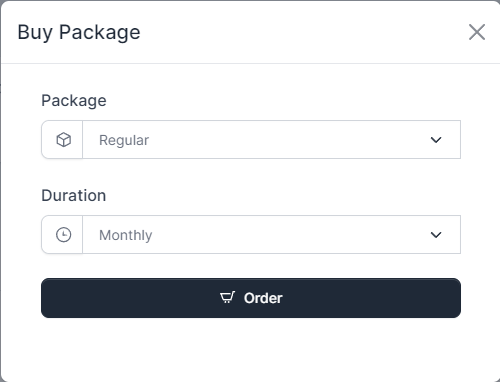
you can choose any package available and choose whether monthly or annually.
When you click edit, this popup will show up
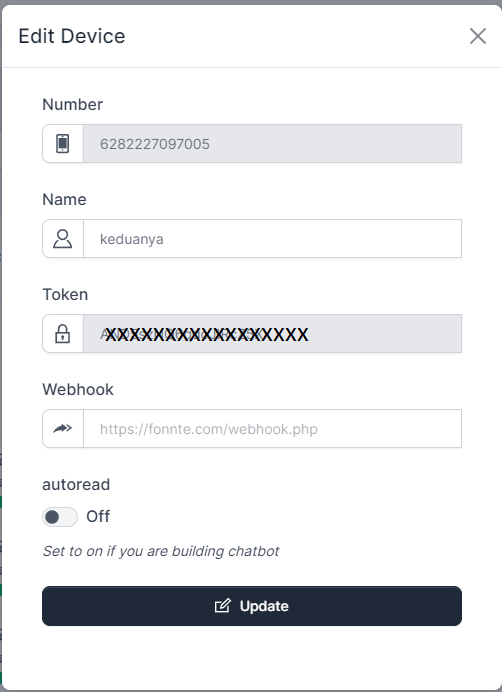
You can edit the name, webhook and autoread setting.
This page contain latest information and tutorials.

Every new information will show here
You can reset your password here.
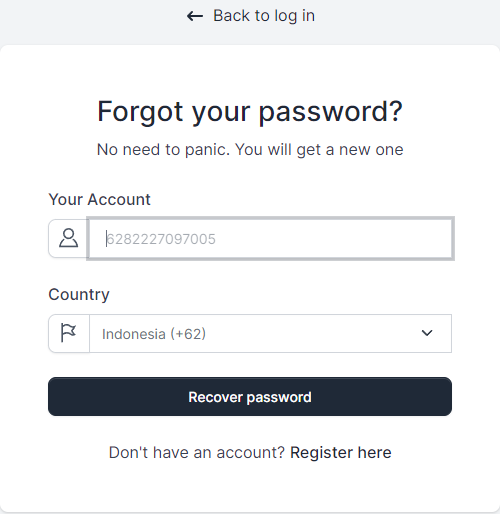
fields are account number (whatsapp number) and country code.
you will receive new password.
if error can't send new password, try reregister.
You will get your new password by whatsapp message.
An account required before you can login. if you haven't have one, please register first.
You can login here.
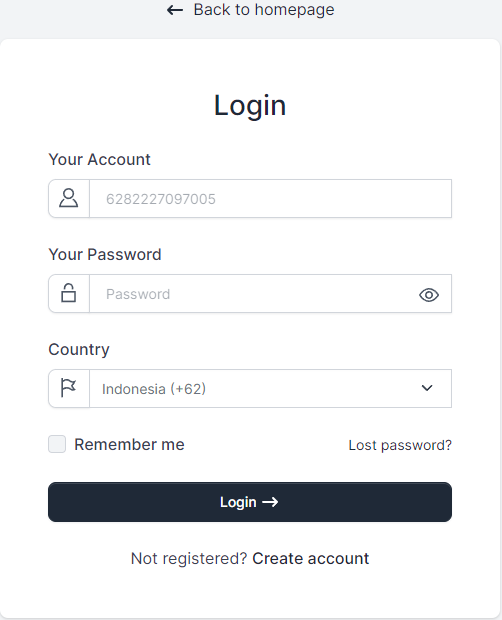
fields are account number (whatsapp number) ,password , country code.
after login, will be redirected to dashboard.
if invalid credentials, password or account number is wrong.
try reset password.
If you forgot your password, you can always reset password.
You can register an account here.
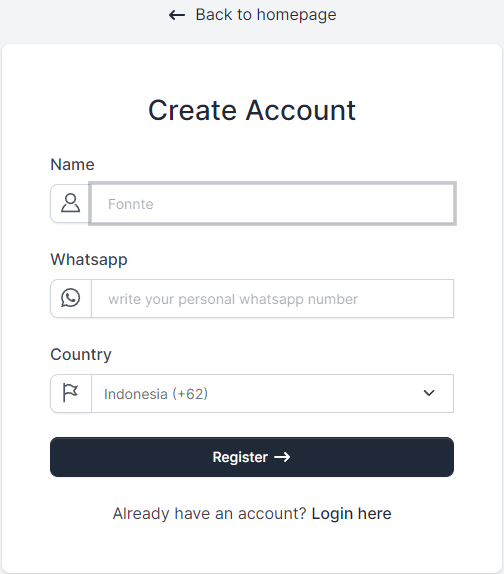
registration fields is whatsapp number, name and country code.
after registering, you will be redirected to whatsapp to send the registration code.
proceed to send using the same registration number
if somehow skipped or number already registered, try reset password.
if cannot register, please try again next hour.
You will get a whatsapp message about your account and password and redirected to login page.
Webhook make responding incoming message using custom data possible.
Special note : any autoreply feature won't work if you are using webhook.
<?php
header('Content-Type: application/json; charset=utf-8');

$json = file_get_contents('php://input');
$data = json_decode($json, true);
$device = $data['device'];
$sender = $data['sender'];
$message = $data['message'];
$text= $data['text']; //button text
$member= $data['member']; //group member who send the message
$name = $data['name'];
$location = $data['location'];
$pollname= $data['pollname'];
$choices= $data['choices'];
$timestamp = $data['timestamp'];
$inboxid = $data['inboxid'];

//data below will only received by device with all feature package
//start
$url =  $data['url'];
$filename =  $data['filename'];
$extension=  $data['extension'];
//end

function sendFonnte($target, $data) {
	$curl = curl_init();

	curl_setopt_array($curl, array(
	  CURLOPT_URL => "https://api.fonnte.com/send",
	  CURLOPT_RETURNTRANSFER => true,
	  CURLOPT_ENCODING => "",
	  CURLOPT_MAXREDIRS => 10,
	  CURLOPT_TIMEOUT => 0,
	  CURLOPT_FOLLOWLOCATION => true,
	  CURLOPT_HTTP_VERSION => CURL_HTTP_VERSION_1_1,
	  CURLOPT_CUSTOMREQUEST => "POST",
	  CURLOPT_POSTFIELDS => array(
	    	'target' => $target,
	    	'message' => $data['message'],
	    	'url' => $data['url'],
	    	'filename' => $data['filename'],
                'inboxid' => $data['inboxid'],
	    ),
	  CURLOPT_HTTPHEADER => array(
	    "Authorization: TOKEN"
	  ),
	));

	$response = curl_exec($curl);

	curl_close($curl);

	return $response;
}

if ( $message == "test" ) {
	$reply = [
		"message" => "working great!",
	];
} elseif ( $message == "image" ) {
	$reply = [
		"message" => "image message",
		"url" => "https://filesamples.com/samples/image/jpg/sample_640%C3%97426.jpg",
	];
} elseif ( $message == "audio" ) {
	$reply = [
	        "message" => "audio message",
		"url" => "https://filesamples.com/samples/audio/mp3/sample3.mp3",
		"filename" => "music",
	];
} elseif ( $message == "video" ) {
	$reply = [
		"message" => "video message",
		"url" => "https://filesamples.com/samples/video/mp4/sample_640x360.mp4",
	];
} elseif ( $message == "file" ) {
	$reply = [
		"message" => "file message",
		"url" => "https://filesamples.com/samples/document/docx/sample3.docx",
		"filename" => "document",
	];
} else {
	$reply = [
		"message" => "Sorry, i don't understand. Please use one of the following keyword :

Test
Audio
Video
Image
File",
];
}

sendFonnte($sender, $reply);
Available parameter
Replying using attachment is only available on devices with a package of super, advanced or ultra.
You can put your webhook URL on your device->edit.
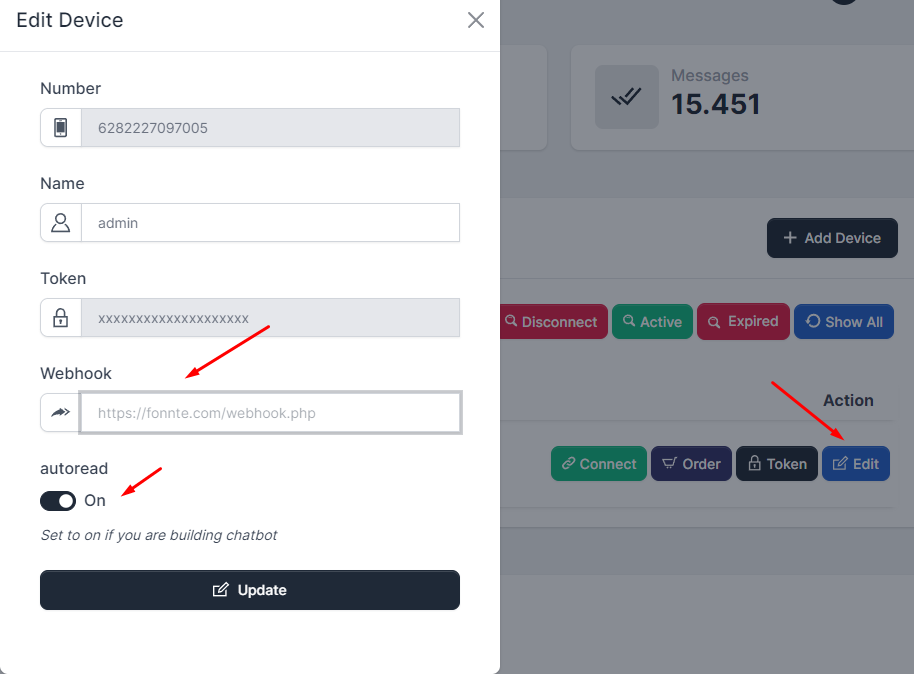
You have to set auto read to On.
if you leave it off, your webhook won't work!
This API has been deprecated. use webhook get status instead.
This is message ID you get when you send a message through API or fonnte's message history
Code for check message status through API
<?php

$curl = curl_init();

curl_setopt_array($curl, array(
  CURLOPT_URL => 'https://api.fonnte.com/status',
  CURLOPT_RETURNTRANSFER => true,
  CURLOPT_ENCODING => '',
  CURLOPT_MAXREDIRS => 10,
  CURLOPT_TIMEOUT => 0,
  CURLOPT_FOLLOWLOCATION => true,
  CURLOPT_HTTP_VERSION => CURL_HTTP_VERSION_1_1,
  CURLOPT_CUSTOMREQUEST => 'POST',
  CURLOPT_POSTFIELDS => array('id' => '2'),
  CURLOPT_HTTPHEADER => array(
    'Authorization: TOKEN'
  ),
));

$response = curl_exec($curl);

curl_close($curl);
echo $response;
Available parameter
If you prefer to see on postman, see here.
TOKEN must be filled by your own token. See how to get token.
Ideally you should check after a period of time, ex : 5 minutes, to make sure your message is already processed, especially when you are sending multiple targets with long delay
You might find the status is
You cannot check multiple ID, use loop if you need to check multiple id.
successfull response
{
    "id": 2,
    "message_status": "sent",
    "status": true
}
- id required : require the id
{
    "reason": "id required",
    "status": false
}
- token invalid : token is not valid
{
    "reason": "id required",
    "status": false
}